Live A/V & Lighting Control Training
(Ableton Live, Videosync & Beam for Live)


You are an artist, musician, audiovisual creator, or involved in the creation and technical direction of shows, performances, theatre pieces, choreographic projects, installations, or stage-based systems. You may already be working at the intersection of sound, image, lighting, and live performance.
You already use Ableton Live and want to design a reliable, coherent, and efficient live audiovisual and lighting setup—without diving into programming—while maintaining a high level of control, synchronization, and customization.
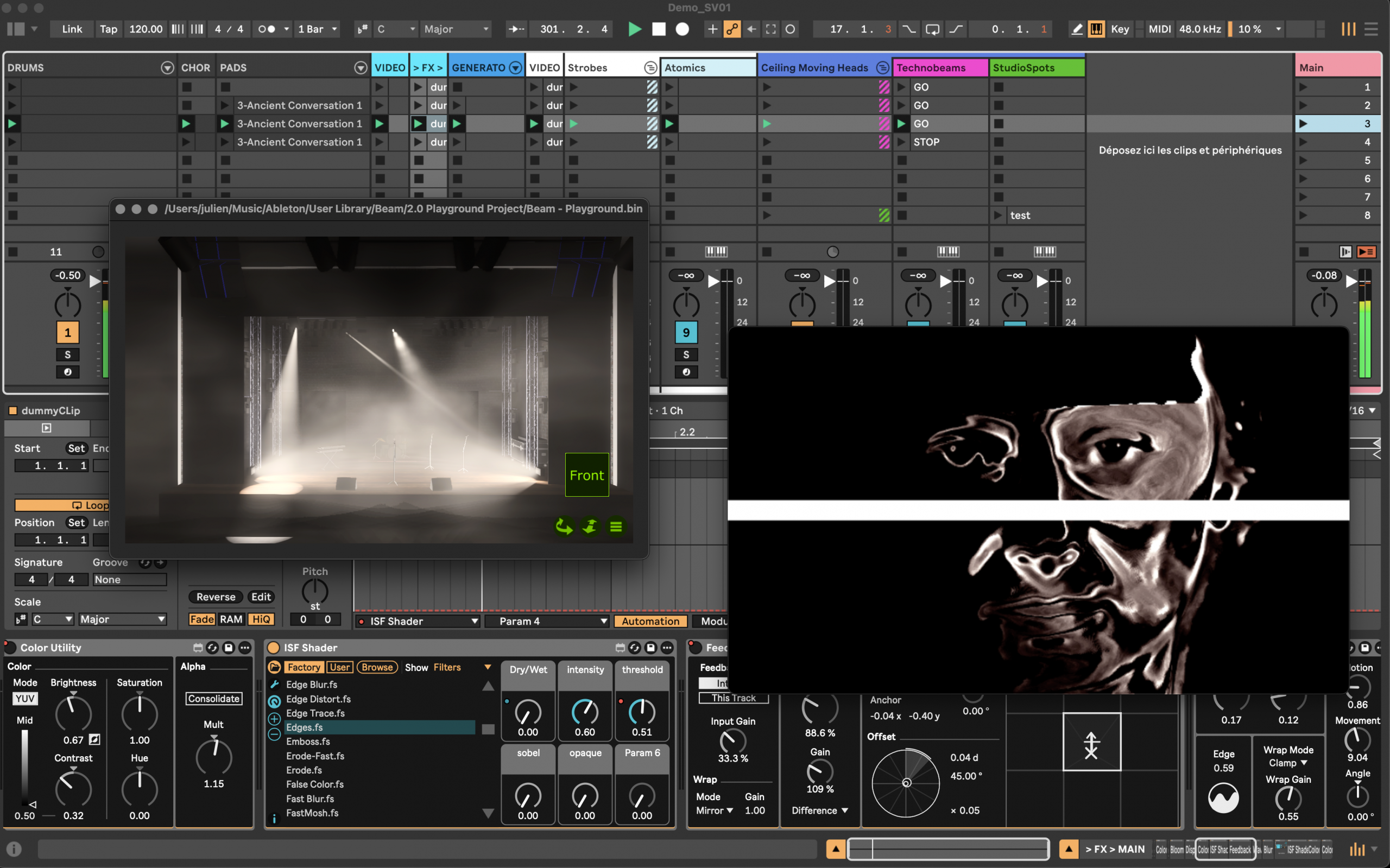
This training teaches you how to generate and control visuals and DMX lighting directly from Ableton Live using VideoSync and Beam for Live, enabling you to design robust, repeatable, real-time–oriented performances, stage works, shows, and installations.
Delivered online or on-site in Marseille, the training is led by Julien Bayle, artist and the only trainer in France who is both an Ableton Certified Trainer and a Max Certified Trainer.
Structure Void is a QUALIOPI- and Ableton-certified training organization. This training is fully eligible for professional funding for French artists & people
DESCRIPTION
Ableton Live can become much more than a simple music production software: it can act as a true audiovisual and lighting control hub for stage work, performance, and installation.
Using VideoSync and Beam for Live, this training teaches you how to generate, synchronize, and control visuals and DMX lighting directly from Ableton Live, without diving into programming, while maintaining a high level of real-time control, precision, and scenic coherence.
You will learn how to design a complete live audiovisual setup, from overall system architecture to real-world implementation, in order to create robust, repeatable, and scalable performances, shows, or installations.
This training covers the fundamental principles of audiovisual synchronization and signal flow, using Ableton Live as the central control environment.
You will learn in particular how to:
- generate and output synchronized visuals using VideoSync
- control DMX / Art-Net lighting systems with Beam for Live
- structure a coherent audiovisual signal flow
- organize fixtures, groups, and mappings
- use Ableton Live clips as visual and lighting events
- design audio-reactive systems
- build a clear setup for stage operation
The approach is deliberately grounded in real-world practice, with a strong focus on stability, clarity, reproducibility, and reliability in performance, live shows, and installation contexts.
No prior knowledge of Max or programming is required. The training is suitable for artists, technicians, and audiovisual system designers who want to use Ableton Live as a central control tool.
At the end of the training, you will be able to design:
- live audiovisual performances
- lighting and video control systems
- synchronized audiovisual installations
- stage setups fully controlled from Ableton Live
PREREQUISITES
A computer is required to take part in this training. If the training takes place on site, you must bring your own computer. Using a laptop is recommended for convenience, but it is also possible to use a desktop computer in our facilities.
Basic knowledge of Ableton Live is a plus but is not mandatory.
OVERALL OBJECTIVES
The so-called “overall” objectives listed here correspond to the standard objectives of the training Live Audiovisual & Lighting Setup Design with Ableton Live, VideoSync & Beam for Live.
- Understand audiovisual and lighting control architectures in live contexts
- Use Ableton Live as a central audiovisual control environment
- Leverage VideoSync and Beam for Live for visual generation and lighting control
- Synchronize sound, video, and lighting within a single system
- Design clear and coherent audiovisual scenes
- Finalize a reliable setup for performance and installation
However, each training action is subject to a specific assessment and an individualized definition of objectives in order to tailor the sessions exclusively to your needs. The overall objectives identified are therefore distributed across a set of knowledge blocks, each block constituting a concrete sub-objective.
PROGRAM & KNOWLEDGE BLOCKS
STRUCTURE VOID delivers its training programmes in the form of knowledge blocks.
The knowledge blocks of the training Live Audiovisual & Lighting Setup Design with Ableton Live are as follows:
Ableton Live as an audiovisual control environment
- LIVE_AV 01 Install, configure, and operate Ableton Live
- LIVE_AV 02 Digital audio and MIDI fundamentals
- LIVE_AV 03 Session and Arrangement modes, timing, and synchronization
- LIVE_AV 04 Tracks, instruments, effects, racks, routing, and Live set organization
- LIVE_AV 05 Automations, modulation, control mapping, and Max for Live integration
Real-time visual generation and performance with VideoSync
- LIVE_AV 06 Install and activate VideoSync
- LIVE_AV 07 Understand the general principles of visual systems
- LIVE_AV 08 Understand the real-time video pipeline
- LIVE_AV 09 Explore the overall architecture of VideoSync
- LIVE_AV 10 Understand the core concepts of VideoSync
- LIVE_AV 11 Organize layers, visual states, and transitions
- LIVE_AV 12 Use VideoSync instruments
- LIVE_AV 13 Use VideoSync effects
- LIVE_AV 14 Organize video routing and data flows
- LIVE_AV 15 Compose images using blending and compositing
- LIVE_AV 16 Generate, control, transform, and modulate video streams from Live
- LIVE_AV 17 Synchronize audio and video
- LIVE_AV 18 Approach visual audio-reactivity
- LIVE_AV 19 Use cameras and external video sources
- LIVE_AV 20 Manage video outputs and interoperability
- LIVE_AV 21 Capture video output (internal, Spout, Syphon)
- LIVE_AV 22 Create and reuse ISF shaders
- LIVE_AV 23 Understand network mode and distributed systems
- LIVE_AV 24 Extend VideoSync using the SDK
- LIVE_AV 25 Design a coherent visual setup
DMX lighting control and performance with Beam for Live
- LIVE_AV 26 Install and activate Beam for Live
- LIVE_AV 27 Understand the principles of DMX and Art-Net control
- LIVE_AV 28 Explore the overall architecture of Beam for Live
- LIVE_AV 29 Build a stage setup using Capture and Beam for Live
- LIVE_AV 30 Understand fixture concepts and abstraction
- LIVE_AV 31 Organize fixture groups and mapping
- LIVE_AV 32 Use Beam for Live instruments
- LIVE_AV 33 Use Beam for Live effects
- LIVE_AV 34 Monitor lighting output with Capture Presenter
- LIVE_AV 35 Understand and organize signal flow in Beam for Live
- LIVE_AV 36 Use clips as lighting events
- LIVE_AV 37 Animate and modulate lighting from Live
- LIVE_AV 38 Map and control lighting in live contexts
- LIVE_AV 39 Use lighting audio-reactivity
- LIVE_AV 40 Extend Beam for Live
Audiovisual integration: synchronizing video and lighting
- LIVE_AV 41 Position the relationship between video and lighting in a live setup
- LIVE_AV 42 Synchronize video and lighting from Ableton Live
- LIVE_AV 43 Share control logics between VideoSync and Beam for Live
- LIVE_AV 44 Design coherent audiovisual scenes
- LIVE_AV 45 Organize priorities, balance, and scenic readability
- LIVE_AV 46 Finalize an audiovisual setup for live performance
- LIVE_AV 47 Position video & lighting integration at the core of an artistic installation
TRAINER: JULIEN BAYLE
Julien Bayle is the founder, director, and expert trainer of Structure Void. He is your pedagogical and administrative point of contact. He is also the sole trainer of Structure Void.
He is both an Ableton Certified Trainer and a Max Certified Trainer.
After studying biology and computer science, leading to a Master’s degree in Computer Science in 2000, Julien Bayle began a technical career as a network and telecommunications engineer with a focus on systems security. A sound creator and visual experimenter, he made a decisive shift in 2010 by founding his own studio and choosing to develop it as a training organization, in order to pass on the knowledge and experience he had gradually built over the years. In 2010, his Ableton Certified Trainer certification gave him visibility in France and internationally, fully complementing the creative dimension of his studio and positioning him at the intersection of art and technology. An expert in Ableton Live, Max for Live, and Max, he has authored several books on these audiovisual creation tools. In 2020, he evolved his training organization into Structure Void, the current framework through which he trains and advises a wide range of profiles, from artists and passionate amateurs to creative studios and acoustic researchers. In 2024, he became the first and only French trainer certified in Max by Cycling ’74.
If needed and upon request via one of the contact methods listed in the footer, we can provide a detailed CV, degrees, and Julien Bayle’s Ableton Live certification.
The trainer’s dedicated page is available here: https://structure-void.com/julien-bayle-ableton-and-max-certified-trainer/
His books on Max for Live and Arduino are available here:
- The Art of Max for Live: https://leanpub.com/max-for-live-en and Gumroad
- Arduino: https://www.packtpub.com/product/c-programming-for-arduino/9781849517584
STRUCTURE VOID provides a full set of technical resources to support the delivery of its training programmes.
All of our on-site training sessions take place in our space located in the city center of Marseille.
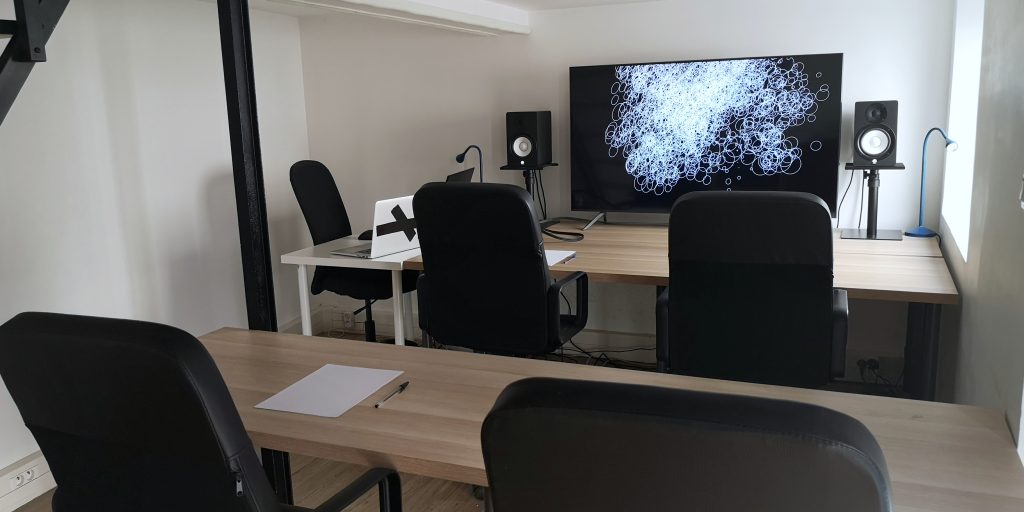
Whether the training is delivered on-site or remotely, both the trainer and the participants use their own laptops and take part in the training at the same time (synchronous mode).
Our 10 years of experience have shown that in the field of audiovisual creation, participants prefer to work on their own computer equipment, as it is essential that their tools are configured specifically for their individual needs.
The trainer’s computer is regularly updated, both in terms of the operating system and the software required for the proper delivery of the training.
In particular, the trainer holds the following licenses:
- Ableton Live 12 Suite
- Max 9
- Max for Live
The page detailing on-site and online delivery modalities is updated regularly and can be consulted at the following address: https://structure-void.com/training/
ON-SITE TRAINING
The trainer and participants exchange and work on their own computers. The trainer’s screen is mirrored onto the visual display system available in the training room (large screen or video projector / wall), allowing the image to be displayed at a large scale for optimal visual comfort.
The trainer follows the planned course of the training in order to meet the defined objectives and in accordance with the teaching methods described later in this document.
Participants frequently bring their own hardware equipment to control or provide feedback for the software they are training on, such as MIDI controllers or touch tablets.
REMOTE TRAINING
As training sessions are almost exclusively delivered on a one-to-one basis, the trainer and the participant connect via the ZOOM platform. All technical information required is provided in a connection technical sheet, which is made available to the participant when the training design phase begins.
The trainer follows the planned course of the training in order to meet the defined objectives and in accordance with the teaching methods described later in this document.
Participants also frequently use hardware devices to control or provide feedback for the software they are training on.
NOTE: It is also possible to follow a training programme that combines both remote and on-site sessions. During the specific design phase of the training action, we will define together whether this hybrid format—that is, a combination of on-site sessions and live online sessions with the trainer (Synchronous Blended Learning)—is relevant to your project.

OVERALL OBJECTIVES
- Understand audiovisual and lighting control architectures in live contexts
- Use Ableton Live as a central audiovisual control environment
- Leverage VideoSync and Beam for Live for visual generation and lighting control
- Synchronize sound, video, and lighting within a single system
- Design clear and coherent audiovisual scenes
- Finalize a reliable setup for performance and installation